
Sprunki All Phases Beat Maker
Gotstar StudioCasual
4.7144.00 Reviews
- Version
- 0.4.8
- Installs
- 10.00M
- Age Rating
- Everyone
Screenshots
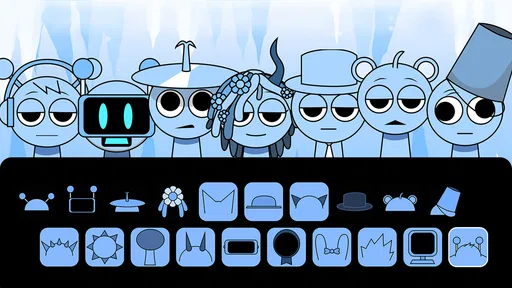
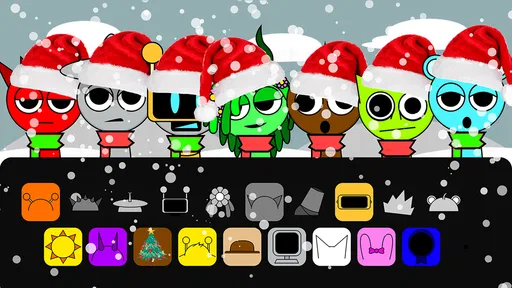
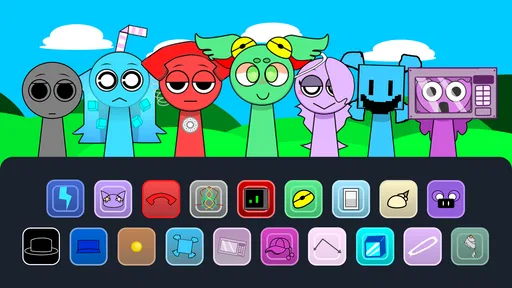
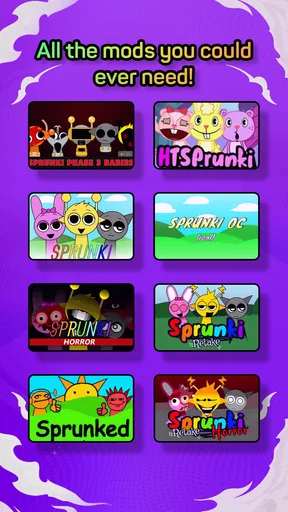
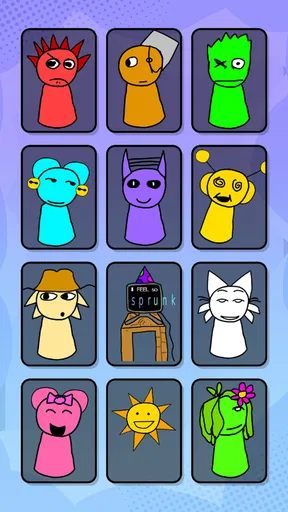
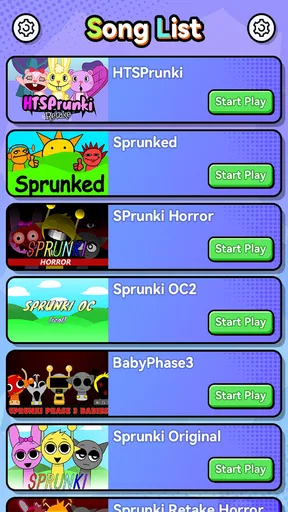
Our Review of Sprunki All Phases Beat Maker
 Analysis by Appyee
I found Sprunki All Phases Beat Maker most enjoyable as a quick, shared music toy rather than as a serious production studio. It is a casual game from Gotstar Studio built around arranging beats, vocals, and effects across its different phases, so the appeal is immediate: make a sound, change the mix, try another combination, and pass the phone to someone else. I can imagine it working especially well on a household device where people take turns experimenting instead of treating it as a private, long-term project.
The basic idea is easy to understand, but that does not make it disposable. There is a pleasant loop in hearing how a new combination changes the whole song. I do not need music theory to begin, and I can explore by listening rather than reading instructions. That makes the game approachable for a child, a parent who does not normally play music games, or friends looking for something light to do together. At the same time, its simplicity sets a clear limit: anyone expecting the editing depth of a full digital audio workstation will probably find it too narrow.
How the shared music-making experience works
I focus here on how making music together can work in practice: the small choices that let each person contribute, and the simple turn-taking that keeps one player from taking over. A useful way to make a shared session feel fair is to agree on who changes which layer before anyone starts tapping. From there, the next question is what each person can bring to the mix.
A good fit for short turns and casual collaboration
In my experience, the strongest household use is a short turn-taking session. One person starts a beat, another changes the vocal or effect choices, and a third listens for the combination that feels most complete. Because the game is based on sound and visual experimentation, people can contribute without needing to agree on a complicated plan first. That makes it less demanding than a traditional multiplayer game, where everyone must understand rules, controls, and objectives before the fun starts.
A realistic example would be a quiet afternoon when a family shares one tablet or phone. A child might build the first version, an older sibling might try a different phase, and a parent could judge which arrangement sounds best. The useful part is not necessarily producing a polished track. It is having a simple creative activity where each person can make a visible or audible contribution. I would keep turns short, though. If one player controls the device for too long, the collaborative element quickly becomes one person performing while everyone else watches.
The game also suits a waiting-room or travel situation better than many casual titles because it does not depend on a long story or a complicated progression system. Someone can experiment for a few minutes and stop. That said, the sound itself is central, so a noisy environment reduces the experience. If the household is busy, headphones may help, but sharing headphones can be awkward and is not always suitable for younger users. The best setting is somewhere people can hear the changes without disturbing everyone nearby.
Why the phases matter to the experience
The phase-based structure gives the game a sense of discovery. Rather than treating every sound as an isolated button, I approach each phase as a different mood or arrangement to investigate. Moving between them encourages comparison: a combination that feels lively in one phase may feel less convincing in another. This is one of the more interesting aspects of the design because it rewards listening and adjustment, not just tapping everything as quickly as possible.
My practical tip is to change one element at a time. If I alter the beat, vocals, and effects together, I may hear that the result is different without understanding why. Swapping a single part makes it easier to notice which layer provides the energy and which one creates clutter. That small habit turns random tapping into a basic mixing exercise, even though the game remains firmly casual. It is also useful when several people are sharing the device, because each person can explain what their one change was meant to do.
Another good approach is to begin with a restrained arrangement instead of filling every available space immediately. A sparse starting point makes later additions easier to hear. It also prevents the common problem of creating a busy result that sounds exciting for a moment but lacks a clear rhythm. I would not describe this as a hidden professional tool, but it is a meaningful workflow improvement that the short store description does not communicate.
Setup boundaries on a shared device
Sprunki All Phases Beat Maker is free to start, which lowers the barrier for a household that wants to try it before committing money. The game is listed for Everyone, and it runs on Android devices using version 7.0 or later. Those details make it broadly accessible, but they do not remove the need for a little household planning. A parent or device owner should still decide whether the game belongs on a personal phone, a shared tablet, or a child’s supervised device.
The most important boundary is financial rather than technical. Optional purchases are priced at $3.99 per item, so I would not hand the device to a young child without first making the family’s purchase expectations clear. I would check the device’s existing purchase protections and make sure the person using the game understands that “free” does not mean every possible item is automatically included. I am not treating this as a flaw unique to the title; it is simply the sort of detail that matters more when several people use one device.
There is also a practical boundary around ownership. On a shared phone, one person may assume that a creation belongs to them while another person changes it during the next turn. Since casual music-making is easy to treat as a group activity, I recommend agreeing on a simple rule before starting: either every arrangement is communal, or each player gets a separate turn and stops when the turn ends. This avoids small arguments that have nothing to do with the game itself.
I would also avoid presenting the game as a private space for a child to communicate or interact with strangers. The experience I reviewed is about making music, not about replacing family supervision or creating an independent social account. If a child wants to show a result, the safest household routine is to let them demonstrate it directly on the device rather than assuming that every sharing option or online interaction is appropriate. The game can be a shared creative activity without becoming a reason to relax ordinary device rules.
Coordination makes the simple controls more rewarding
Because the controls are built around musical choices, coordination works best when people give each other a clear role. One person can choose the rhythmic foundation, another can focus on vocals, and another can listen for effects that support rather than overwhelm the arrangement. This is more satisfying than having everyone tap randomly, and it gives younger players a way to participate without needing to read advanced instructions.
I found that verbal coordination is especially helpful with mixed ages. A young child may respond to “make it calmer” or “try a stronger beat” more easily than to technical terms. An older player can then translate that preference into the available choices. This creates a small learning opportunity: the child is not being tested on music vocabulary, but they are learning that different layers affect the character of a song.
A useful household rule is to reserve one final listening round after everyone has made a change. During that round, nobody taps immediately. Everyone listens first, then suggests one adjustment. It slows the session down slightly, but it makes the result feel intentional. It also prevents the loudest or fastest player from controlling the entire arrangement. For a casual game, that kind of structure may sound excessive, yet it is exactly what turns a five-minute novelty into a cooperative activity.
The trade-off is that the game does not replace a full collaborative music platform. If a group wants shared projects, detailed timelines, recorded instruments, or precise editing, a dedicated music application would be a better choice. Here, the fun comes from immediate combinations and accessible experimentation. I would choose this game for a family trying to make something together on one screen, not for musicians who need to exchange stems or refine a composition over several days.
Age, trust, and realistic expectations
The Everyone rating makes the game easy to consider for a broad household audience, but an age label is not the same as a complete parenting recommendation. Younger players may understand the playful sound-making quickly, while still needing help with device handling, volume, and purchases. I would introduce it by showing how to make a few changes, then let the child explore while staying nearby. That approach preserves the independence that makes the game fun without turning the device into an unsupervised toy.
Trust also matters between siblings. A child may be proud of a combination that an older player finds noisy or unusual. I think the better response is to ask what the child was trying to create before changing it. The game is most successful when experimentation is treated as the point, not when every result is judged against a polished song. If the household wants a competition, it should be friendly and specific, such as choosing the arrangement that best matches a mood, rather than declaring one player’s taste objectively correct.
For older children and adults, the main question is whether the accessible format remains interesting after the first burst of curiosity. I think it can, especially for users who enjoy trying variations and listening for differences. However, players who need a long campaign, strategic depth, or a strong sense of progression may lose interest sooner. This is a compact creative pastime, and its value comes from repeated small experiments rather than from a large destination to reach.
The game’s popularity gives some context for its accessibility: it has an average rating of 4.7 from around ten thousand ratings, and it has passed ten million installs. I would read those figures as evidence that the concept has broad appeal, not as a guarantee that every household will enjoy it equally. A shared-device family should still test whether the sound style and quick experimentation suit its own preferences.
What the current version means for a new player
The current release is version 0.4.5, and the game was released on March 17, 2026. I mention this because a new player may reasonably view the experience as something that can continue to change. My advice is to judge it by the pleasure of the present loop rather than by expecting the completeness of a mature studio application. The developer is Gotstar Studio, and the title’s identity is clearly centered on casual beat-making across its phases.
That version context also affects how I think about expectations. A player who enjoys the basic sound playground can have a good time immediately, while someone searching for a finished professional toolkit may be disappointed by the deliberately lightweight approach. I would not install it as the only music app on a serious creator’s device. I would install it beside more advanced tools as a fast, low-pressure way to play with rhythm and vocal combinations.
One limitation I noticed in this kind of design is that the same immediacy that makes the game approachable can reduce precision. When a player wants to make a very specific change, a simple choice-based interface may not offer the control they imagine. That is not a reason to reject the game; it is a reason to use it for idea generation. I can discover a mood here, then move to a more detailed application if I want to build a complete track with deliberate timing and editing.
Who should install it, and who should skip it
I would recommend it to families looking for a screen activity that can be shared without complicated rules, to casual players who enjoy sound-based experimentation, and to beginners who want an inviting introduction to arranging musical layers. It is particularly suitable when the goal is to create something amusing together rather than to produce a technically perfect recording. The free entry point makes that first trial easy, provided the device owner handles optional purchases sensibly.
I would skip it if my main goal were a full recording workflow, detailed control over individual notes, or a serious project that needs to be revisited with professional precision. I would also skip it for a household that needs a quiet game, because the audio is not a minor decoration; it is the reason to play. Finally, I would not choose it for someone who wants a deep progression system or a competitive challenge. A traditional rhythm game, puzzle game, or music workstation may serve those needs better.
The number of reviews shown for the title is 66, which is a much smaller figure than its overall rating count. I would not use that alone to predict my own experience. Instead, I would pay attention to whether the core loop sounds appealing: selecting layers, comparing phases, and refining a combination through repeated listening. If that description feels enjoyable, the game has a good chance of earning a place in a casual rotation.
My household verdict
After using it as a casual music-making game, I see Sprunki All Phases Beat Maker as a friendly shared-device experience with a clear purpose. It gives people something to do together without demanding musical training, and its phase-based approach encourages more thought than simply pressing every available option. The best results come from taking turns, changing one layer at a time, and listening before making the next adjustment.
Its weaknesses are equally clear. The simple format will not satisfy users who want professional editing, and the sound-focused design may not suit every environment. Optional purchases mean that a shared device needs sensible boundaries, especially when children are involved. The Everyone rating is reassuring for broad access, but I would still keep normal supervision and account habits in place rather than assuming an age label handles every household concern.
My recommendation is to treat it as a cooperative musical sketchbook, not a complete studio. For a parent and child, siblings, or friends passing one phone around, that distinction is positive: nobody has to be an expert, and each small change can become part of the conversation. If you want a quick, playful way to explore beats, vocals, and effects, the free version is worth trying. If you need precision, long-term project management, or a more substantial game structure, choose a dedicated alternative instead.
Privacy and Permissions
See what permissions an app requests and how it handles your data.
- Wi-Fi connection information
- view Wi-Fi connections
- Other
- view network connections, full network access, control vibration, prevent device from sleeping, Google Play license check
Verdict
Strengths of Sprunki All Phases Beat Maker
- Covers multiple Sprunki phases for varied beat-making styles.
- Simple controls make it approachable for beginners.
- Creative character combinations can inspire unusual tracks.
- Works well for quick, casual music experiments.
- Colorful visuals make the beat-building process engaging.
Limitations of Sprunki All Phases Beat Maker
- Some phases may feel repetitive after extended play.
- Limited editing tools restrict detailed music production.
- Track quality depends heavily on the combinations you choose.
- May offer less depth for experienced beat makers.
- Performance can vary on older phones or tablets.
Other Releases by Gotstar Studio
View All
Sprunki Beat: Full Mod Music
Music4.7
Similar Picks in This Category
View All
My Talking Angela
Outfit7 Limited4.2

My Talking Tom
Outfit7 Limited4.3

Pou
Zakeh4.2

My Talking Tom 2: Pet Game
Outfit7 Limited4.3

Candy Crush Saga
King4.6

Bridge Race
Supersonic Studios LTD4.1
Frequently Asked Questions
What is Sprunki All Phases Beat Maker?
Sprunki All Phases Beat Maker is a music-creation experience inspired by the Sprunki universe, where you combine characters, sounds, rhythms, and effects to build custom tracks. Each phase generally introduces a different visual theme, sound palette, or atmosphere, making the app appealing to users who enjoy experimental beat-making, remixing, and interactive music games rather than traditional, complex digital audio workstations.
How does Sprunki All Phases Beat Maker work?
The basic gameplay is designed to be accessible: choose available characters or sound icons, place them into the active composition, and listen as their beats, melodies, or vocal effects work together. You can usually experiment by adding, removing, and rearranging elements until the mix feels right. Different phases may change the mood, visuals, and available sounds, encouraging repeated experimentation.
Do I need musical experience to use Sprunki All Phases Beat Maker?
No formal musical knowledge is normally required. The experience is built around visual interaction and layered sound combinations, so beginners can start creating by tapping or dragging elements and hearing the results immediately. Understanding rhythm can help, but the app is primarily intended for casual experimentation. It is also a good choice for younger users and anyone who wants a simple, playful introduction to beat creation.
Is Sprunki All Phases Beat Maker available for Android and iOS?
Availability can depend on the specific version, publisher, and distribution method, because Sprunki-related projects may appear as web experiences, fan-made adaptations, or similarly named mobile applications. Before downloading, check that the listing clearly identifies the developer, supported operating system, permissions, and recent update information. Avoid unofficial files from unknown websites, especially if the app requests unnecessary access to contacts, messages, or device storage.
Is Sprunki All Phases Beat Maker free, and does it require an internet connection?
Many versions of Sprunki-style beat makers are free to access, but pricing, advertisements, optional purchases, and available features can vary between releases. Some functions may work offline after loading, while other versions require an internet connection for the initial launch, updates, or online content. Review the store description and permissions before installing, and remember that unofficial versions may not provide the same privacy, stability, or support as an established release.
Play our best games!


